KiwiLink DMS
I built KiwiLink DMS, a dealership management system for independent and small motor vehicle yards in New Zealand. It brings stock, customers, costs, NZ paperwork and the public stock website into one system.
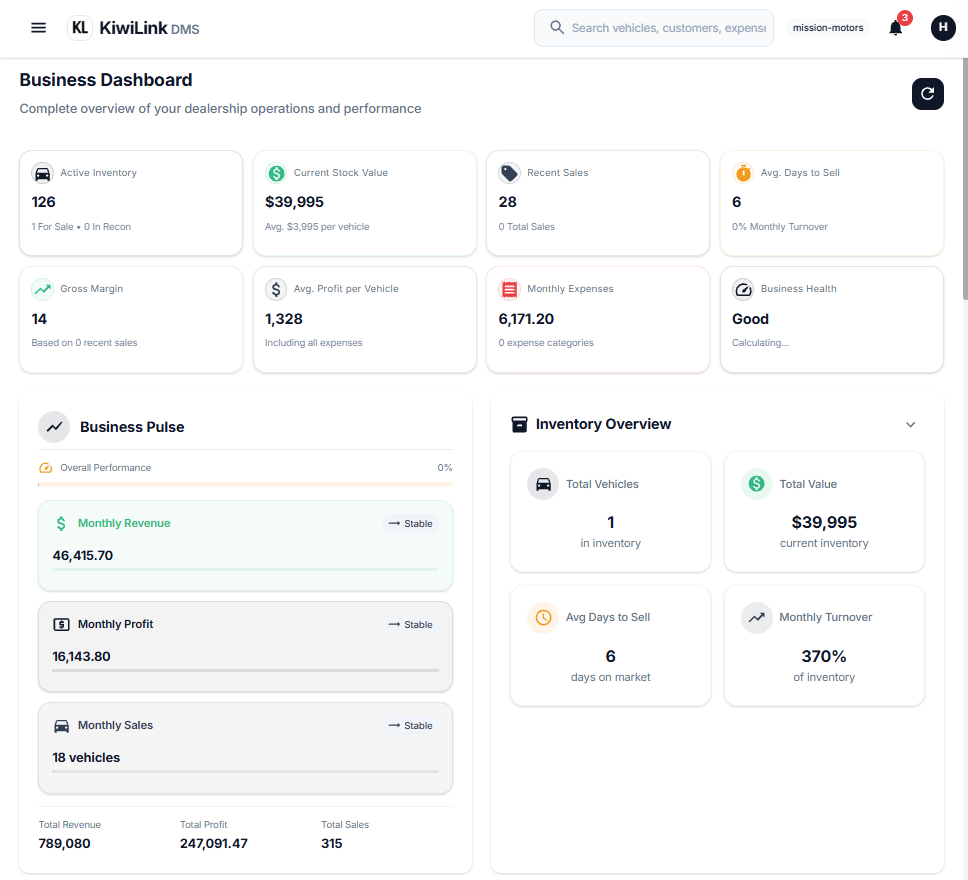
I've been building a dealership management system for the last few months.
It's called KiwiLink DMS, and it's aimed at independent and smaller motor vehicle yards in New Zealand that still end up running a lot of the business from spreadsheets, Messenger, phones, shared drives and Word templates.
There are already established products in this space. AutoPlay, AutoIT/UNITS, Motorcentral and others have been around for years, and they do a lot more than what I've built here. AutoPlay, for example, is heavily focused on sales pipelines, lead management, appraisals, inventory and integrations with other dealership systems.
So this isn't a story about discovering that dealerships need software. It's about building the version I'd actually want to use if I was running a small yard.
The problem
Before I sold cars for Armstrongs in Wellington, I was buying and selling cars myself. Find a car, buy it, recon it, price it, sell it, do the paperwork, then do it again.
I ran that from an Excel spreadsheet.
It worked, in the way spreadsheets always work, until the same piece of information needed to exist somewhere else. The odometer was in one cell, then it had to be typed into a Word template for the Consumer Information Notice. The price lived in another cell and then had to be entered again into the sales paperwork. Photos were on my phone. Someone interested in a car might be sitting in a Messenger conversation rather than being a customer record.
None of it really talked to any of the other parts.
It got me thinking about what I'd actually want from a DMS if I was running a small yard.
Not necessarily another huge dealership platform. Just something built around the actual loop:
Stock in → recon → advertise → enquiry → sale → paperwork → sold.
Everything else should support that.
Why build another DMS?
This is where AutoPlay and UNITS come into it.
There are already good dealership systems in New Zealand, and I'm not trying to pretend KiwiLink has more features than them. It doesn't.
A mature platform has years of development behind it, integrations, reporting, CRM functionality, finance workflows and all the other things a larger dealership can need. AutoPlay, for example, integrates with a range of DMS and CRM systems and handles everything from sales pipelines and appraisals through to listing distribution.
That's useful if you need it.
I was interested in the other end of the market.
A small yard might have five, ten or twenty cars and a couple of people doing most of the jobs. The same person might be buying a car in the morning, taking photos after lunch and doing the paperwork on a sale that afternoon.
They don't necessarily need a giant dealership operating system.
They need to know what they have, what they paid for it, what they've spent on it, who's interested, whether it's actually for sale, what it made and whether the paperwork is right.
That's the product I wanted to build.
It's deliberately narrower.
Enter it once, use it everywhere
The main idea behind KiwiLink is pretty simple: enter information once and let the system use it everywhere else.
An odometer reading isn't data for the CIN. It's data about the vehicle.
So it gets entered once against the vehicle and can then be used by the CIN, VOSA, purchase agreement, public listing and stock statistics.
The same applies to the price, vehicle specifications, customer details and trade-in figures.
This sounds obvious, but it's the part I wanted to get right.
A spreadsheet is good at storing information. A system should be able to take that information and do something with it.
The vehicle record should be able to generate the paperwork, update the website, calculate the numbers and connect the customer to the sale without someone copying everything into another system.
One vehicle. One record.
The vehicle is the centre of KiwiLink.
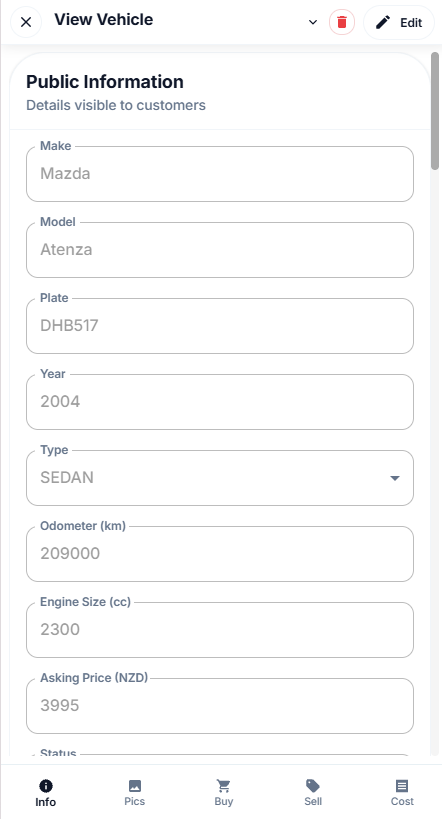
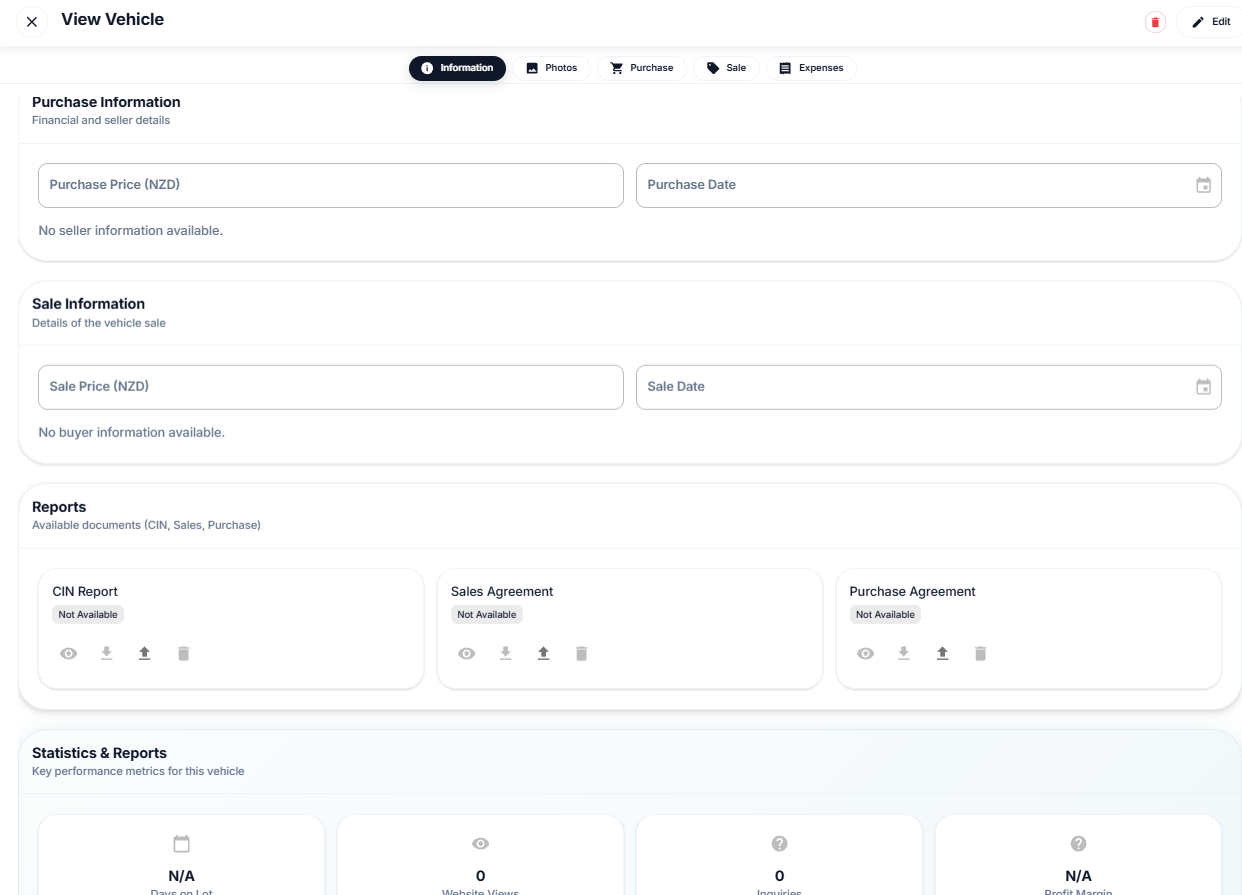
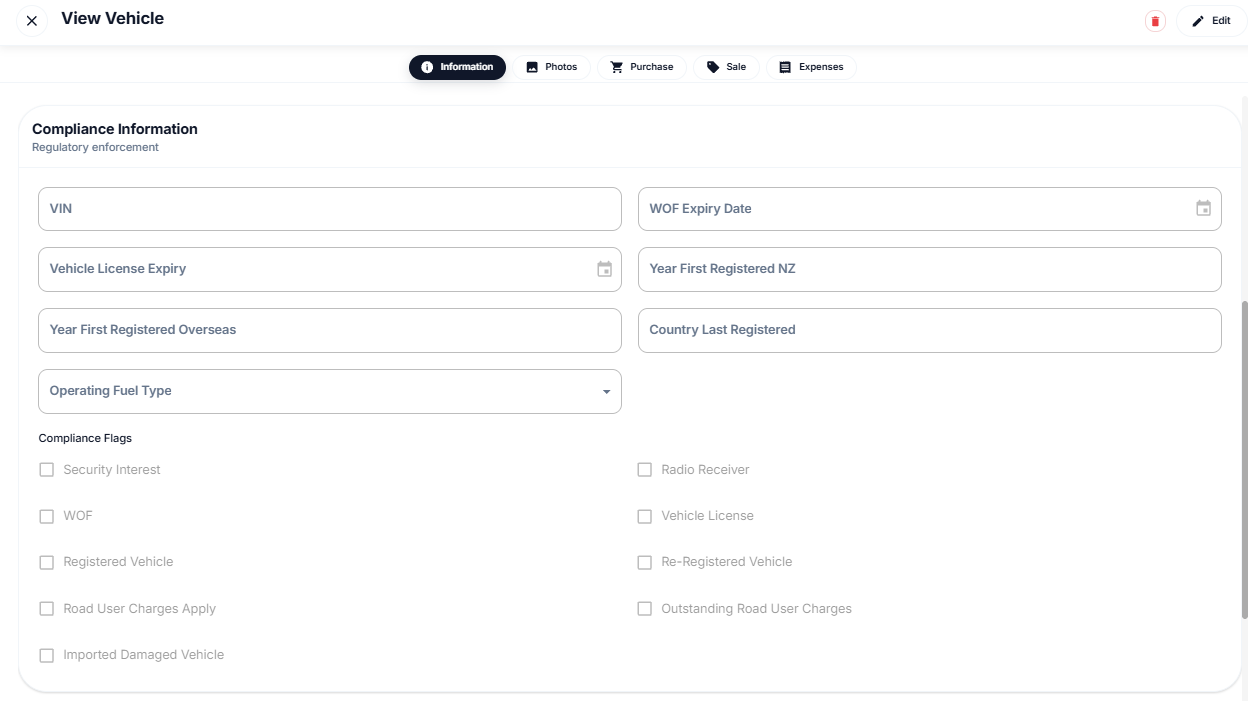
A car moves through a small set of statuses: Recon, For sale, Pending sale and Sold.
Everything related to that car sits against the same record. Purchase information, photos, recon costs, WOF, transport, advertising, customer details, sale figures, trade-in and documents all belong to the vehicle.
Open a car and you get tabs rather than a maze of different pages.
The photos are handled as a proper gallery and compressed when they're uploaded, including HEIC images from an iPhone. Expenses can be added against a vehicle through a quick form, whether it's panel work, a WOF, transport, advertising or whatever else actually went into getting the car ready.
General yard expenses can sit separately when they aren't related to one particular vehicle.
Search is built around the sort of thing you actually want to find in a yard: the silver Ranger that's been sitting there too long, or the cars bought from a particular supplier, rather than just being another generic data grid.
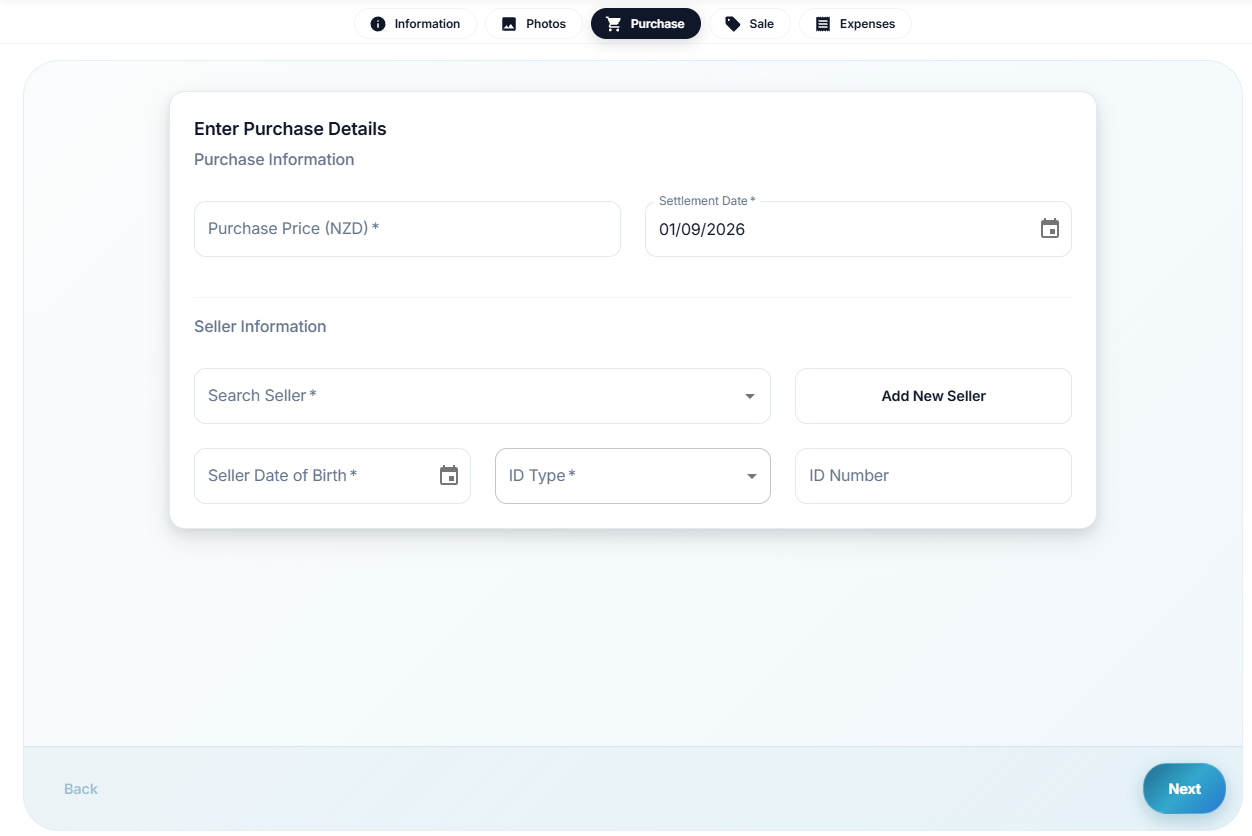
The sale and the paperwork
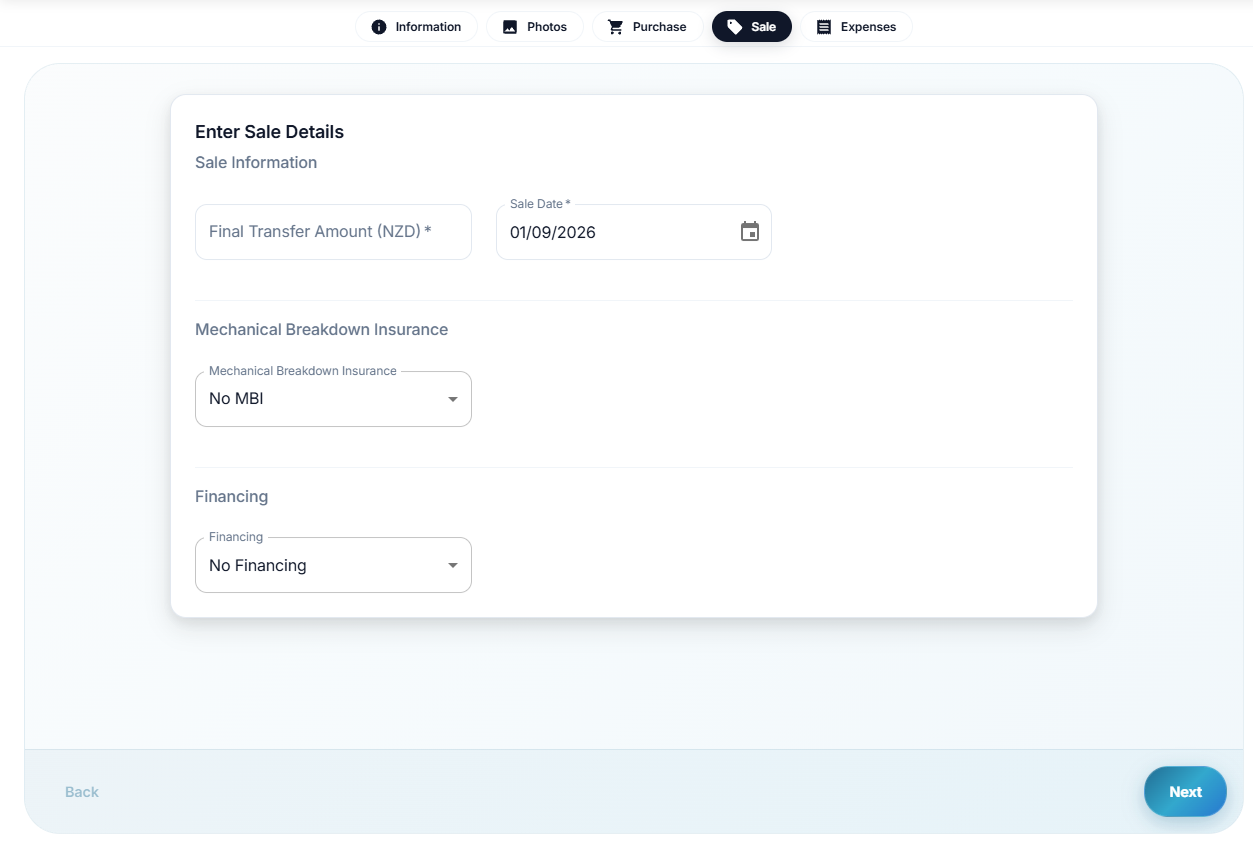
The sold flow is a wizard rather than a blank form.
You confirm the customer, the sale figures and any trade-in, then generate the documents from the information already stored against the vehicle.
For New Zealand traders that includes the Consumer Information Notice, VOSA and sales agreement.
The important part isn't really that KiwiLink can generate a PDF. It's where the information in the PDF comes from.
If the odometer is stored against the vehicle, the CIN gets that odometer. If the price changes, the paperwork gets the updated price. There shouldn't be a second version of the car's information sitting in a Word document that someone has to remember to update.
That's the bit that originally annoyed me about running things from a spreadsheet. The software should be doing the copying, not the person.
Customers and enquiries
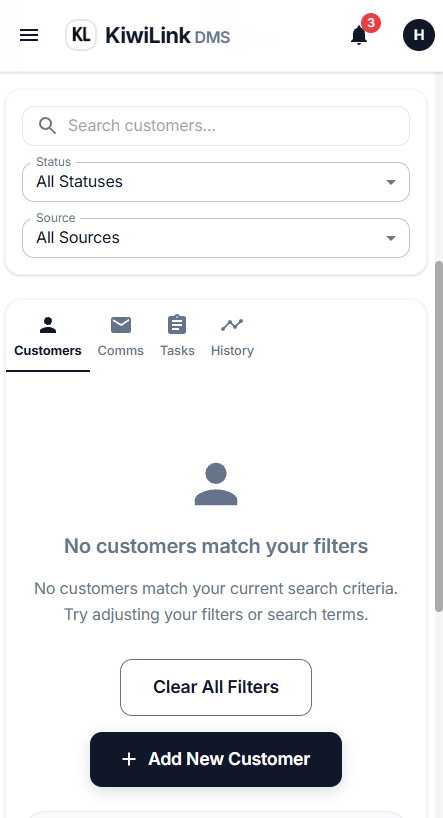
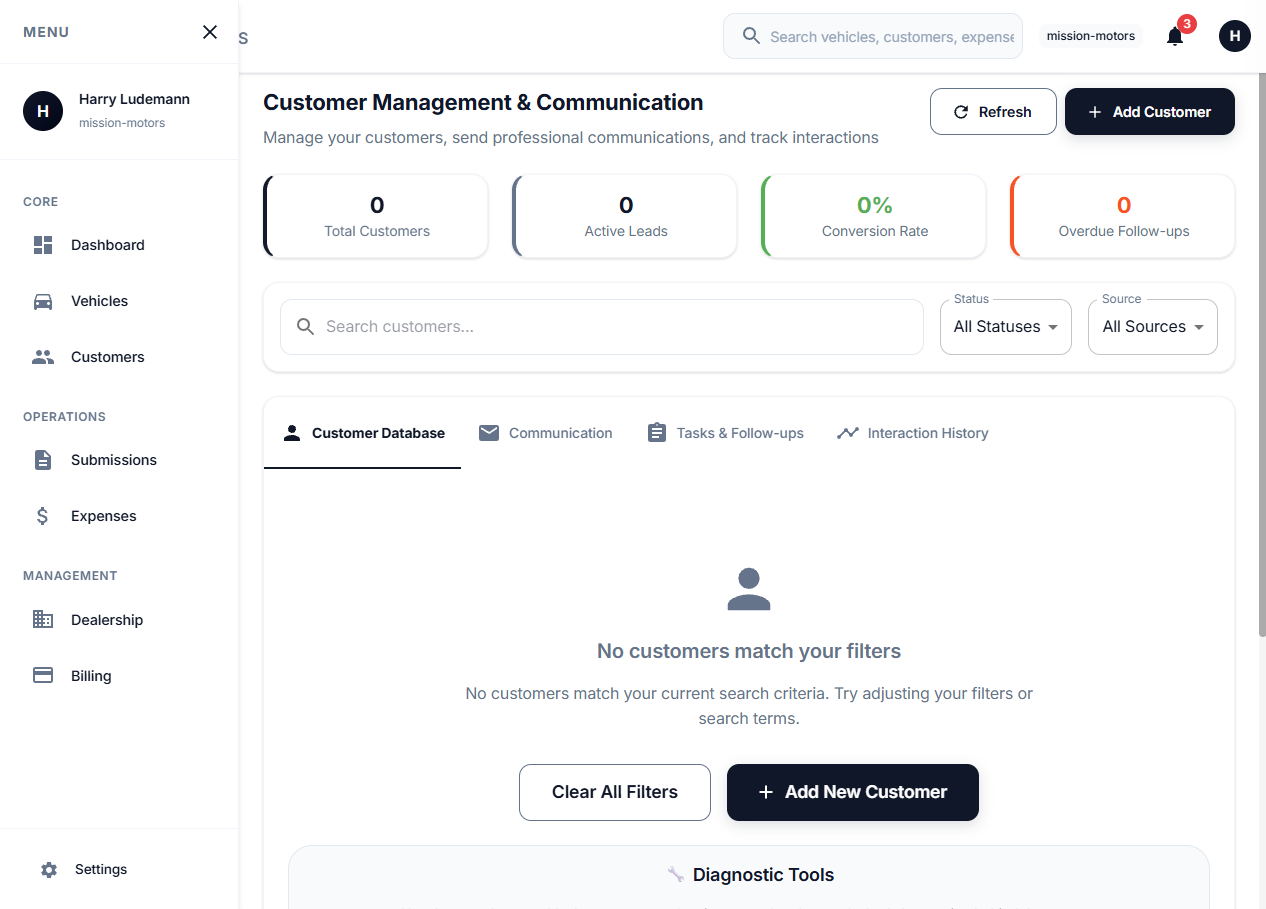
A customer shouldn't just be a phone number in someone's contacts or a Messenger thread.
They're a record, with their contact details, the vehicles they've asked about and their relationship to the deal. They can be linked as a buyer, seller or trade on a vehicle.
The public website feeds into this as well.
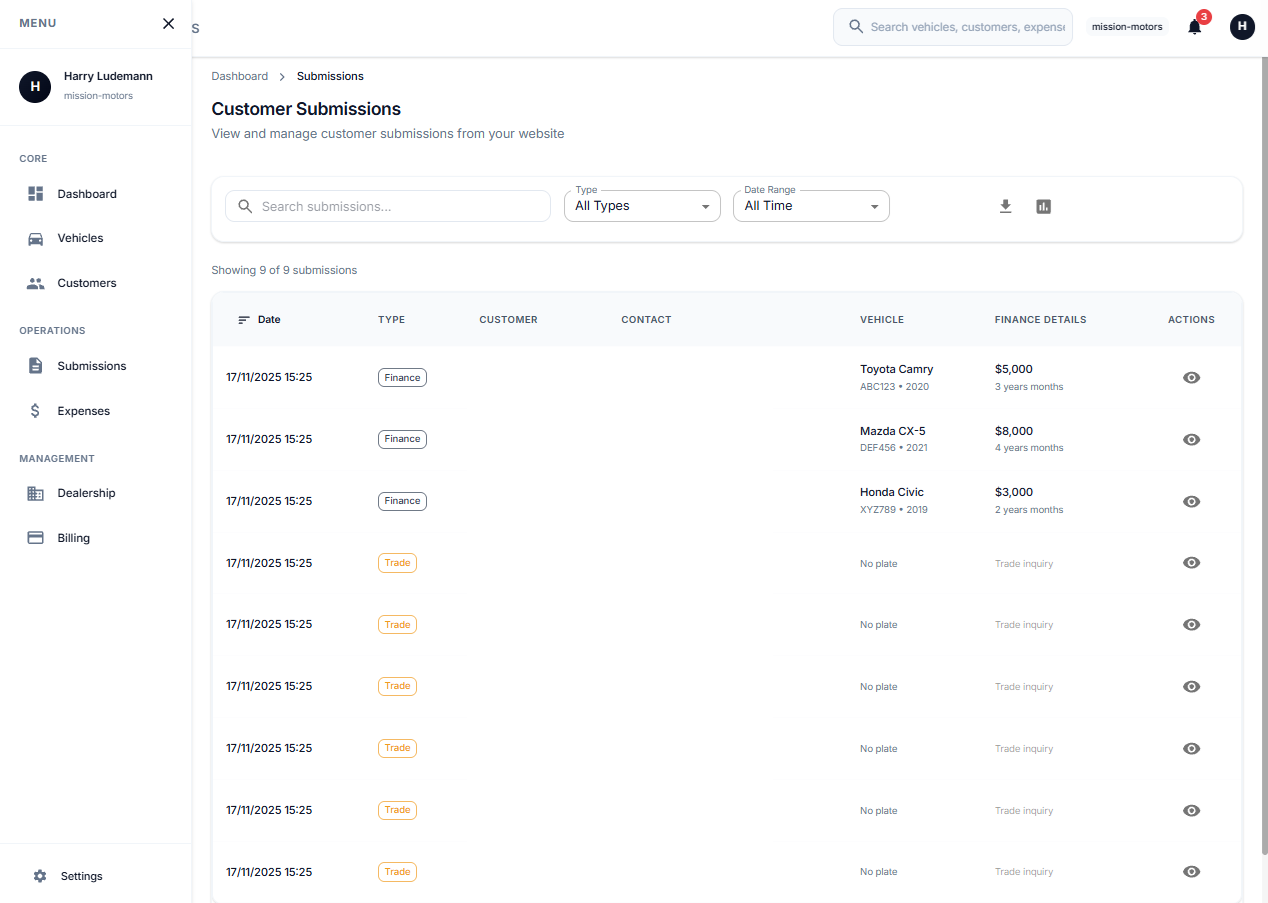
Sell-your-car submissions can come through with the registration, odometer, photos and whether the person wants to sell, trade or both. Trade interest and general enquiries land in the same inbox so the yard can work them from the same place.
This is the same idea as the public-facing sites I've built for other businesses. The website shouldn't just be a brochure. It should produce work for the business behind it.
Did the car actually make money?
Selling a lot of cars isn't necessarily the same thing as making money.
Every cost associated with a vehicle can be recorded against it, so you can see what actually happened to that unit. Purchase price, panel work, WOF, transport, advertising and whatever else you've spent getting it sold.
General yard costs stay separate so they don't get incorrectly attributed to a particular car.
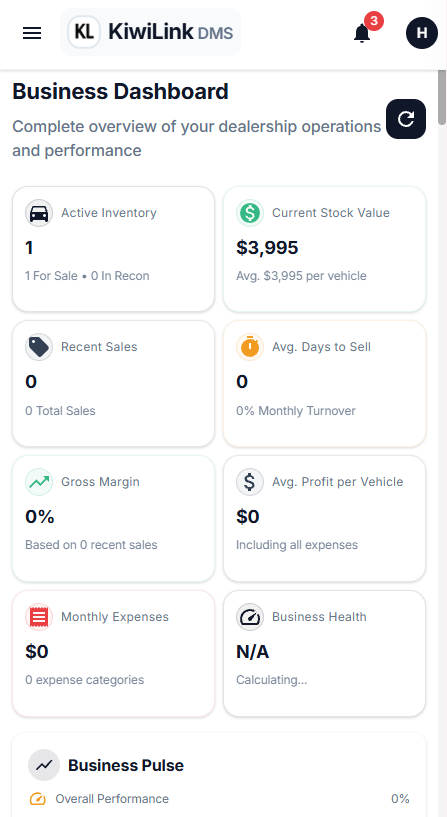
The dashboard can then roll that information up, while the vehicle record gives you the detail behind the number.
I like this because it gets away from the usual spreadsheet approach of having one place for stock, another for expenses and another calculation somewhere else trying to join them together.
Put the numbers on the car and let the system do the arithmetic.
Three sites, one inventory
KiwiLink is actually three applications sharing the same stock.
There's the marketing site, where a dealership can sign up, choose a plan and manage its subscription.
There's the admin application, which is where the yard works.
Then there's the public stock website, which is what customers see.
The important part is that they're all working from the same underlying inventory.
A car doesn't need to be entered into the admin and then entered again onto a website. The admin is the source of truth. If a car is for sale, the public site can show it. If it's sold, the public site can reflect that.
The whole point is to avoid having a second spreadsheet called "website stock".
The public site
The public side has vehicle listings, individual vehicle pages and galleries, along with sell-your-car, trade interest and finance enquiries.
There's also the usual dealership content: team, FAQ, contact information and the boring legal pages that every website eventually needs.
But the interesting part is that the stock isn't maintained separately.
The yard changes the car in the admin and the public side follows.
That's a fairly small thing, but it removes one of those jobs that exists purely because two systems aren't connected.
The bits behind the scenes
There are a few things that aren't particularly exciting to look at but matter once a dealership actually starts using the system.
There's onboarding for a new yard, dealership details, staff invitations and roles. The roles cover owner, admin, manager, sales, mechanic, accountant and viewer, so the workshop doesn't necessarily need the same access as the person running the books.
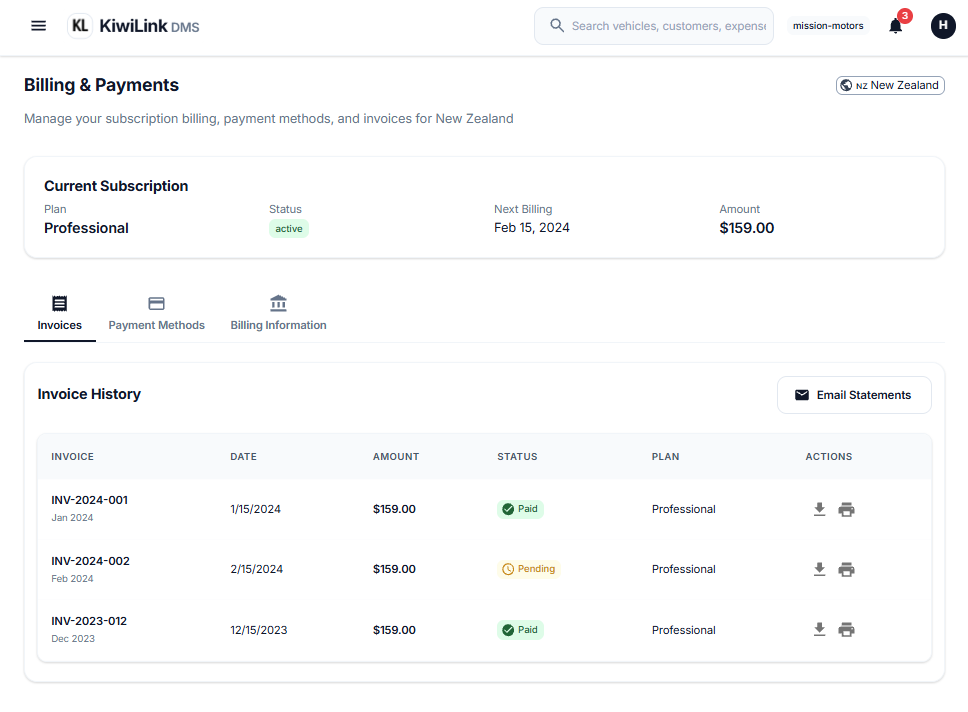
There are also regions for dealerships with more than one location, dealership profiles including NZBN and MVT details, and billing through Stripe.
The product is designed so that adding another salesperson or another location doesn't turn into a software implementation project.
How I built it
Underneath the yard-facing screens, KiwiLink is a fairly standard modern web application.
The marketing site, admin and public stock site are React applications. Firebase handles authentication, the database and image storage, with Cloud Functions handling things like account creation, email and Stripe integration.
Images are compressed in the browser, including HEIC files, and the admin runs on its own host rather than sitting under a /admin path on the marketing site.
And the whole thing is responsive because the person taking photos of a car is probably holding a phone.
What I learned building it
The biggest thing I've learned is that the feature list isn't the product.
It's very easy to keep adding things because another DMS has them. CRM features, reporting, integrations, dashboards, settings, permissions and so on.
But the question I keep coming back to is whether a feature makes the actual yard loop easier.
Stock in, recon, costs, advertise, enquiry, sale, paperwork, sold.
If the information follows the car through that process without being re-entered, the software is doing its job.
If someone still has to copy the odometer from one system into another, there's probably something wrong.
Where it's at
KiwiLink is still a work in progress.
I'm not pretending it's a finished replacement for every commercial DMS on the market. Established products have much larger feature sets and years of integrations behind them, and there's no point pretending otherwise.
What I'm interested in is the smaller end of the market.
Independent traders and small groups who don't necessarily need every feature in a large dealership platform, but do need their stock, customers, costs, paperwork and website to stop living in separate places.
I built it because I was in that situation myself first, buying and selling cars from a spreadsheet and then seeing similar problems from inside a dealership.
The product is basically my attempt to solve a problem myself and other have repeated or unnecessary work.