DDS - Detailer Website
A Wellington detailing studio needed more than a brochure. I built a site that lists packages, starting prices, and hours — then lets customers book a drop-off without a phone call.
Most local business sites are a logo, a paragraph, and a phone number. The customer still has to call. The owner still has to quote. Nothing actually happens on the page.
DDS (Dylan’s Detailing Service) is the opposite of that. It’s a Wellington studio-drop-off detailing business. The site is the shopfront and the diary: packages with starting prices, live hours, and a four-step booking flow. No payment online. No “contact us for a quote” dead end.
I built it for a real operator who needed customers to choose a job and request a slot — and needed to change packages, prices, and hours himself without waiting on a developer.
Live site: https://dds.harryludemann.com
The problem
Detailing is specified work. “A detail” means nothing. Interior vs exterior, a 45-minute tidy-up vs a five-hour restoration, GST in or out, weather vs a studio — customers guess, then they message.
A Facebook page or a template site usually makes that worse: pretty photos, buried prices, a form that emails into a void. The business still runs on DMs.
DDS needed:
- A brand that looks like a studio, not a mobile van
- Packages with inclusions and starting prices (GST included)
- Drop-off booking with real availability, not a blank calendar
- An admin the owner can actually use on a Tuesday afternoon
- No card checkout — payment stays off the site, by design
Phone View Gallery
What the public site does
The homepage is one job: get someone from “nice car photo” to a package or a booking.
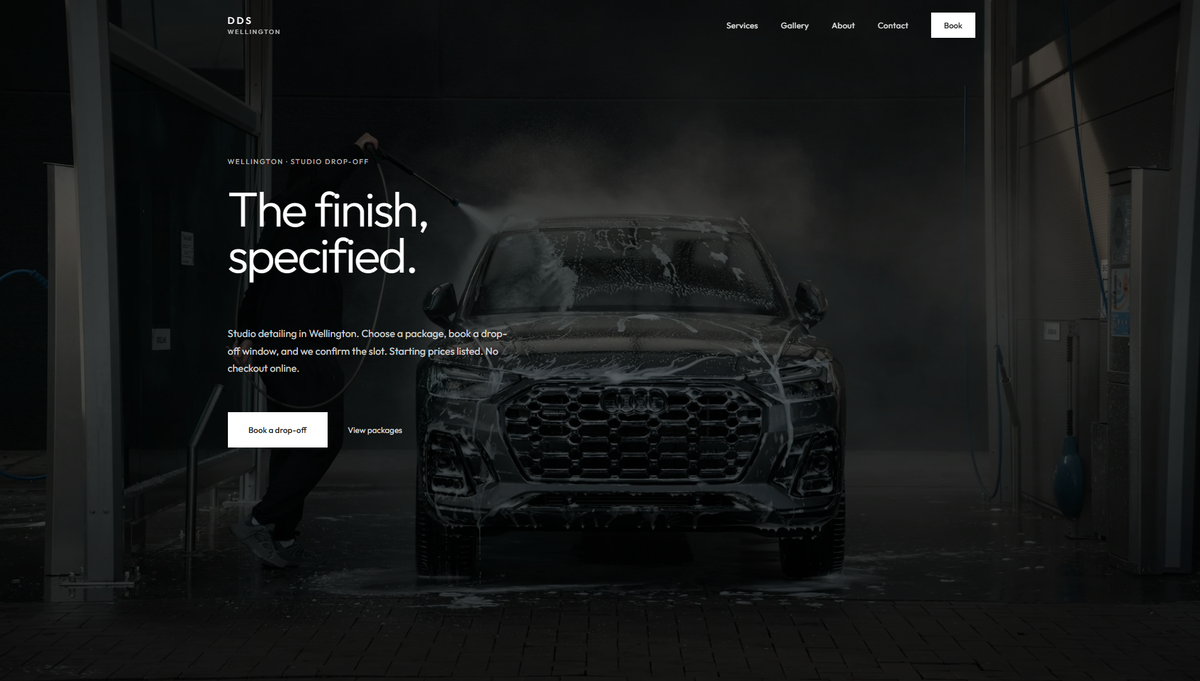
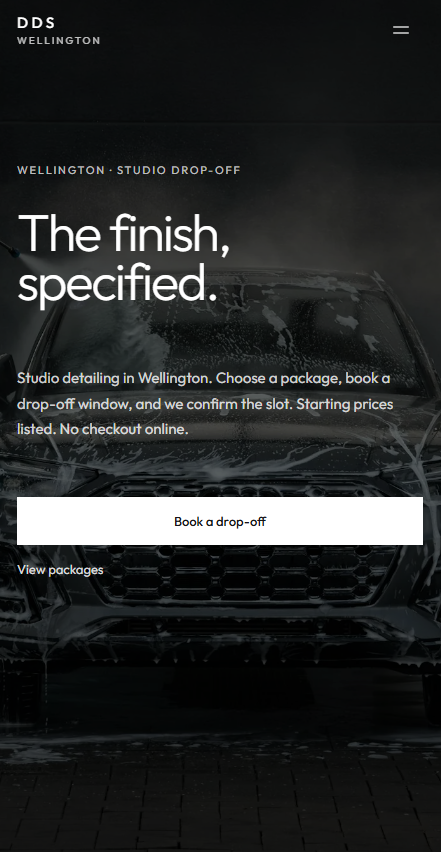
It opens full-screen: Wellington · Studio drop-off, then the line the whole brand hangs on — The finish, specified. Two actions, that’s it: Book a drop-off or View packages.
Scroll and you get:
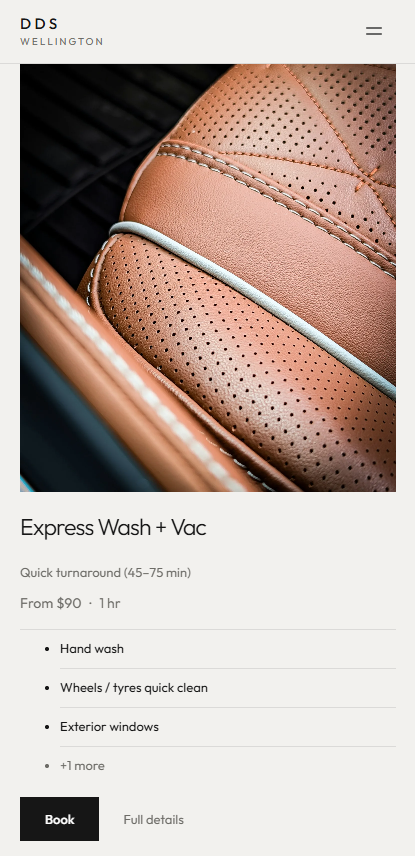
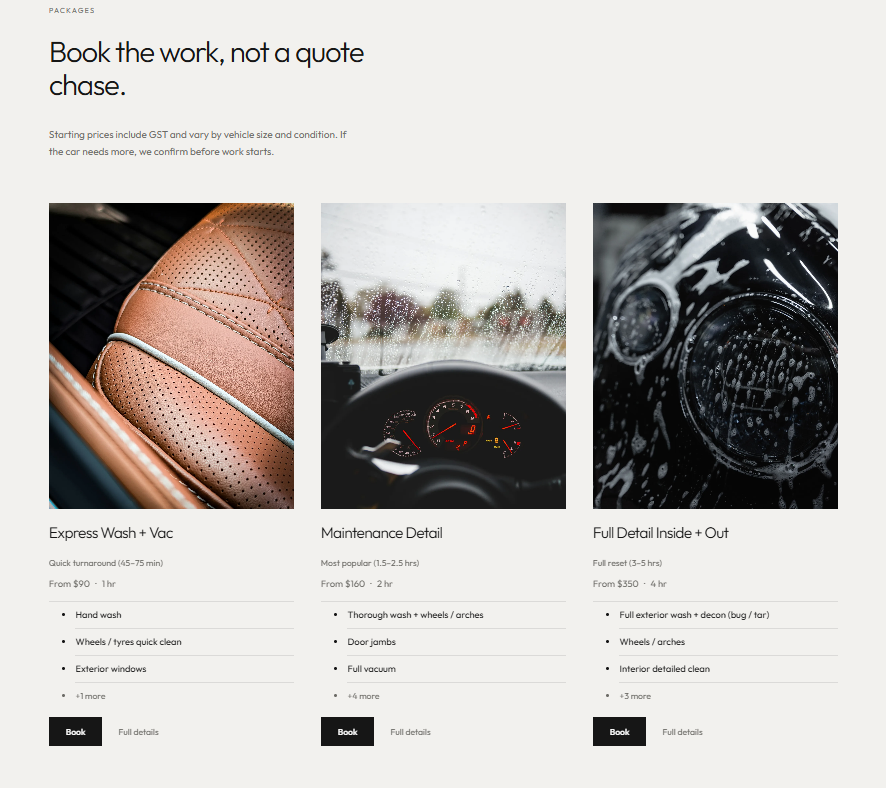
- Featured packages — photo, name, from-price. Not a menu of 14 vague “premium” names.
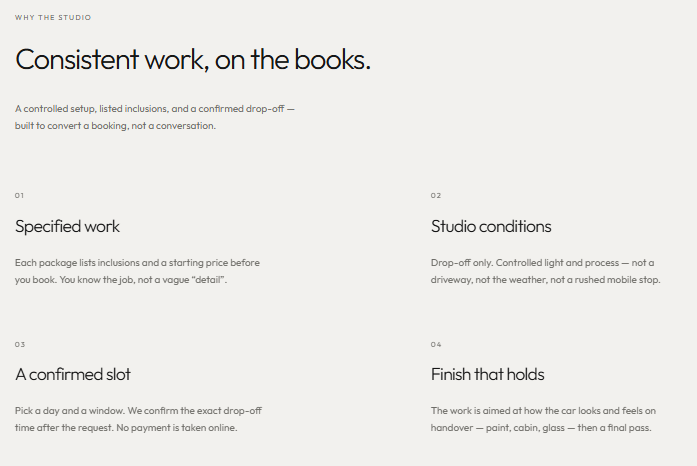
- Why the studio — specified work, controlled conditions, a confirmed slot, a finish that holds. Written like the business, not like an agency.
- Work — gallery crops that go to the full gallery.
- A dark close — Put it in the diary. Same booking promise, no checkout.

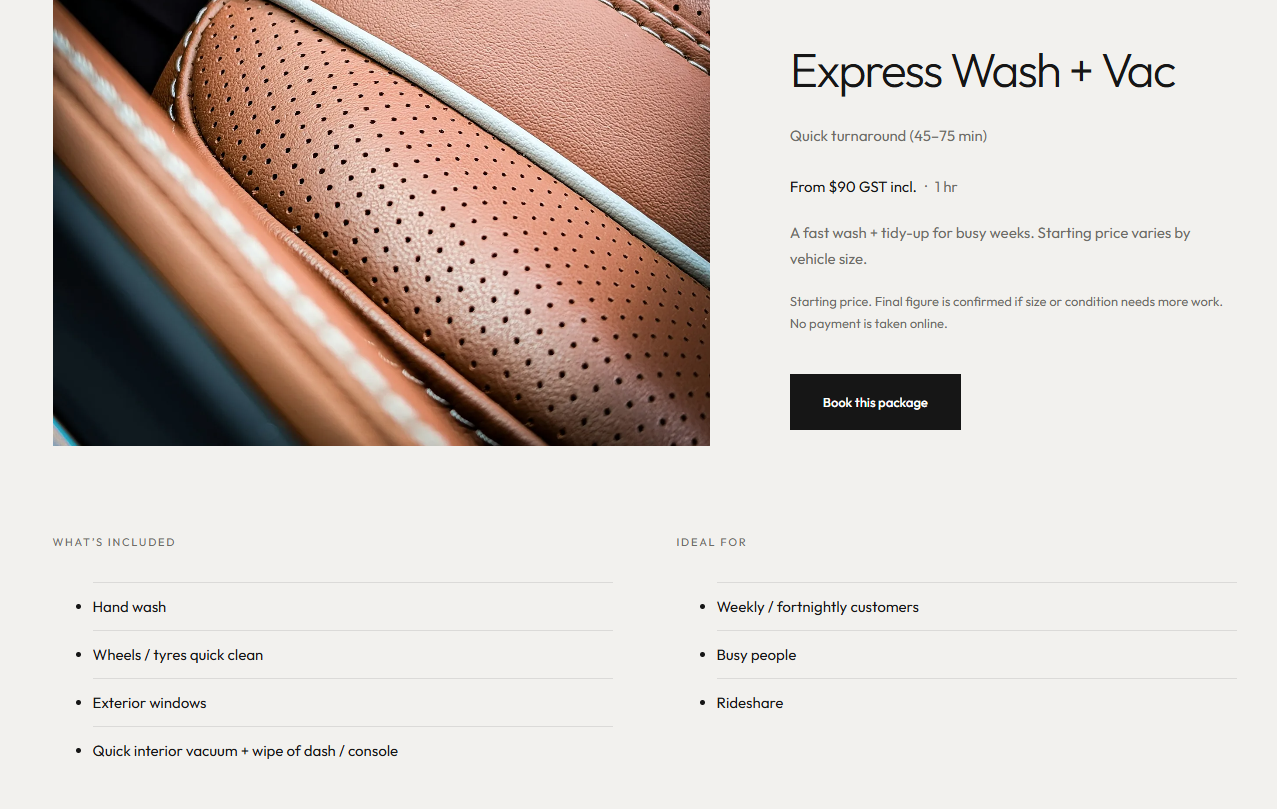
Services is the catalogue. Starting prices include GST and move with vehicle size and condition. If the car needs more, that’s confirmed before work starts — the copy says so, so the booking isn’t a trap.
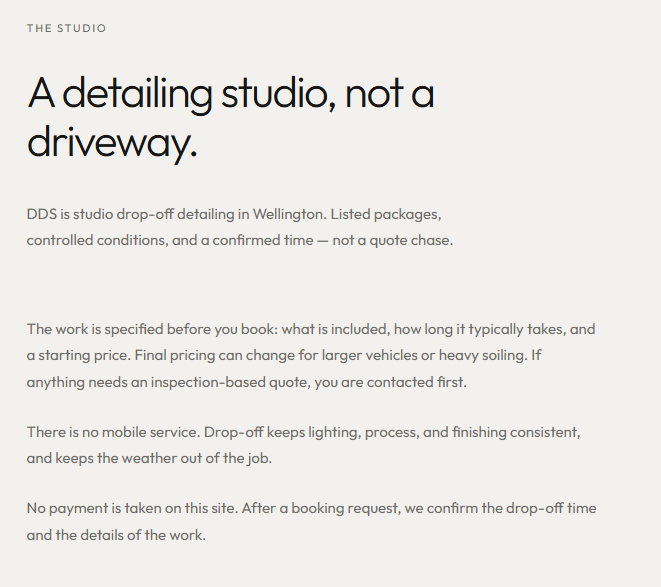
About answers the questions people actually ask: no mobile, how booking works, how long it takes, what’s in the price. Hours on the page are the same hours that drive the calendar.
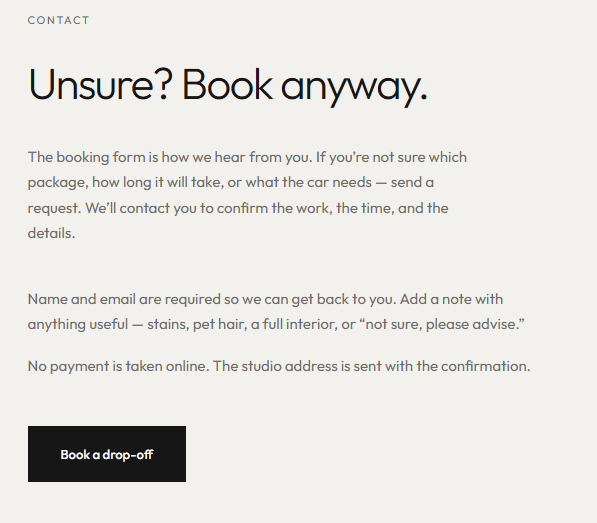
Contact doesn’t pretend a second form is helpful. The headline is Unsure? Book anyway. Name, email, a note. Address goes out with the confirmation, not on a public map for no reason.
Booking, without a checkout
This is the product.
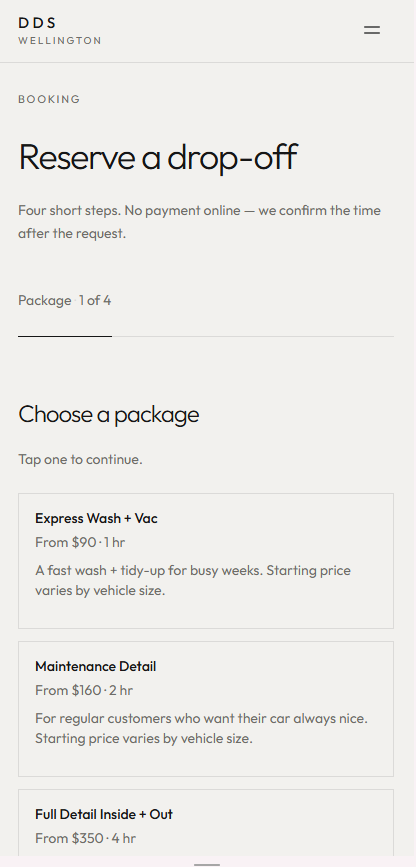
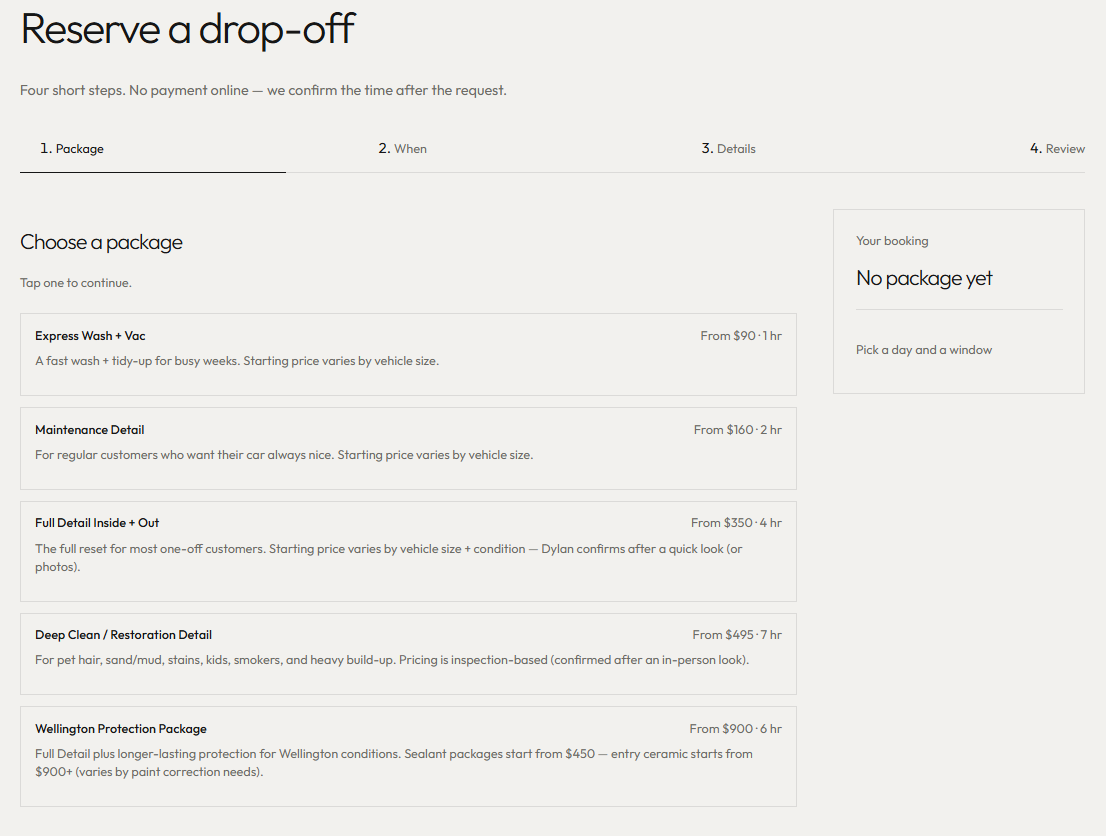
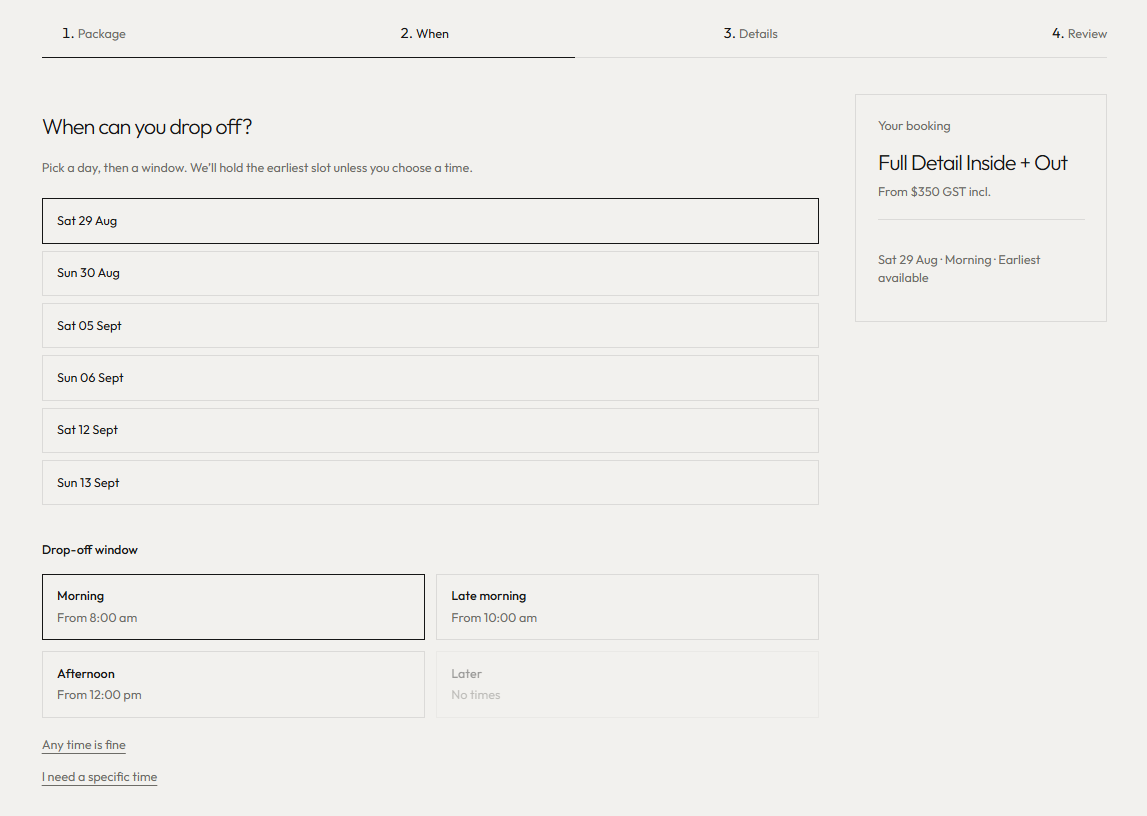
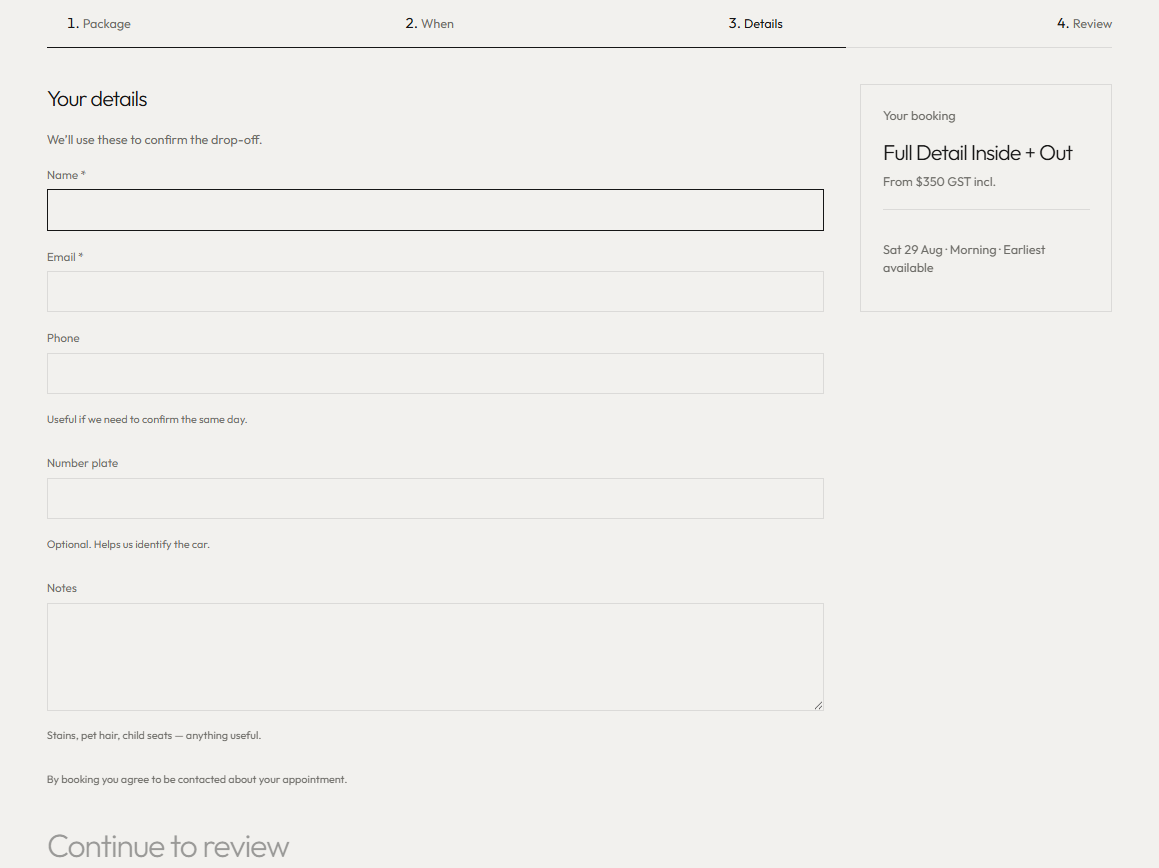
Four steps:
- Package — pick the job.
- When — pick a day and a drop-off window. Slots come from studio hours plus what’s already booked. Roughly three weeks out, 15-minute steps.
- Details — name, email, phone, optional NZ plate, notes (stains, pet hair, “not sure”).
- Review — read it back, submit. Status is confirmed as a request. The studio then confirms the exact drop-off time.
No card. No Stripe. No “pay now to lock it in.” For this business that’s a feature: the site captures intent; the owner still looks at the car.
If you’re a salon, workshop, studio, or trade that works by appointment, this is the pattern: show the work, show the price band, take the slot, talk after.
What the owner actually uses
Pretty sites die when the owner can’t change Tuesday’s hours.
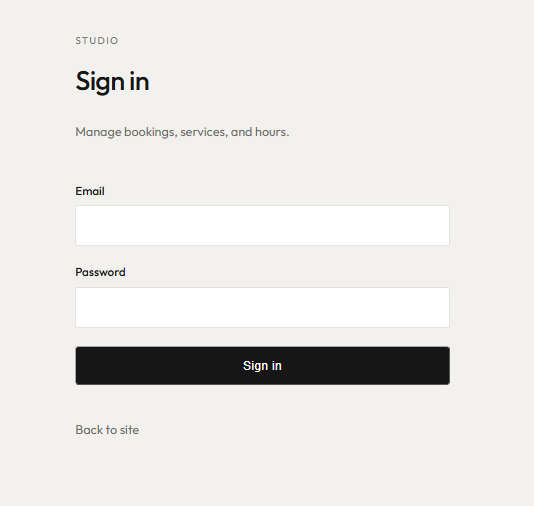
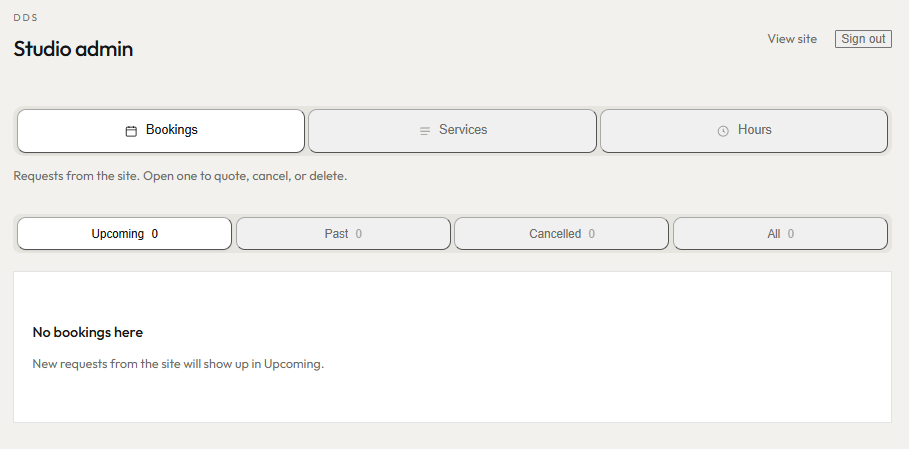
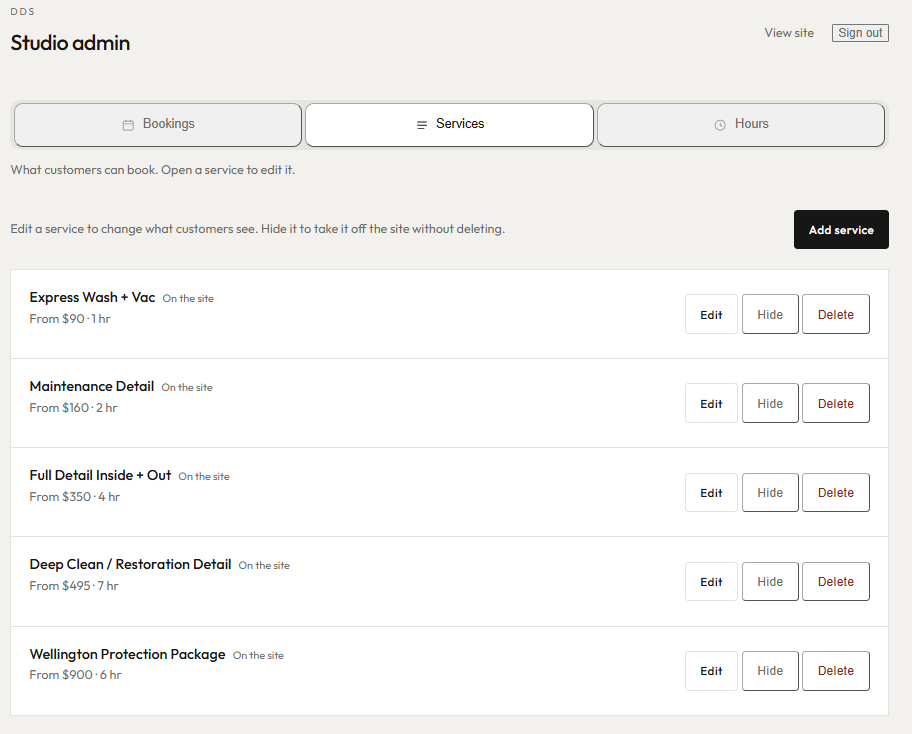
Behind /admin (not indexed, not in the public nav):
- Bookings — incoming requests. Open one to quote, cancel, or delete. Plates link out to CarJam so a Wellington operator can look up the vehicle without leaving the list.
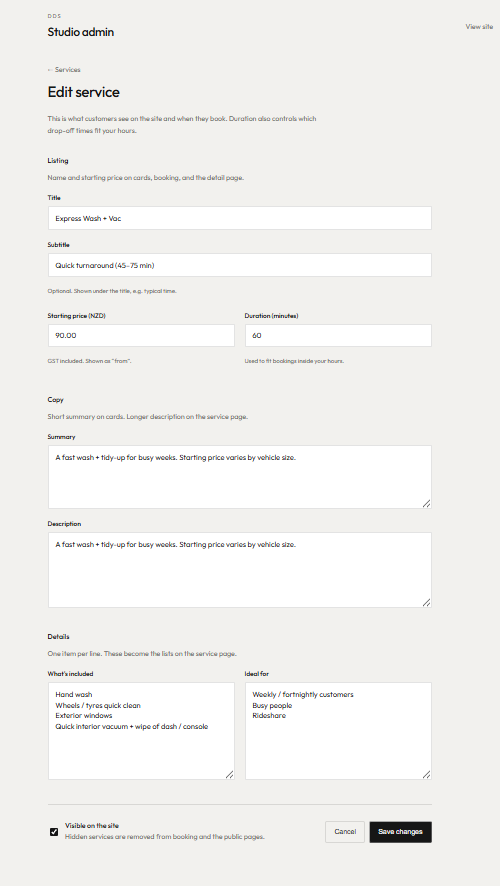
- Services — titles, copy, inclusions, prices, duration, photos. What customers can book.
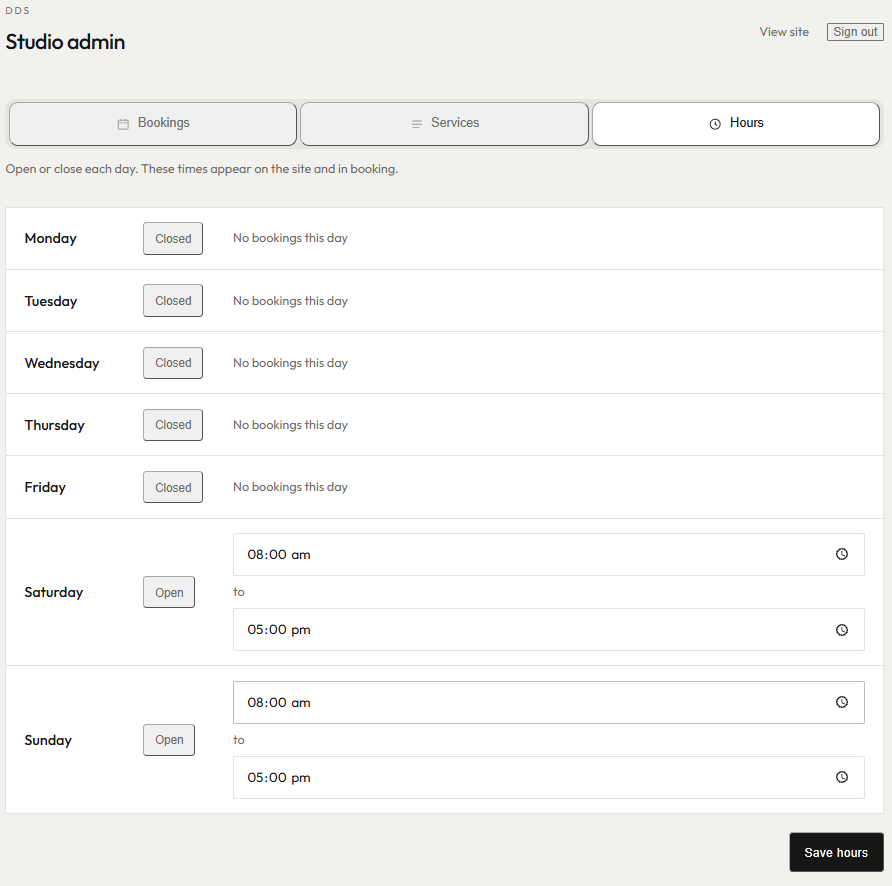
- Hours — open/close per day. Those times show in the footer, on Contact, in search markup, and in the booking calendar. One source of truth.
Change hours in admin, and the public site and the bookable slots follow. That’s the difference between a brochure and a tool.
Built like a product, not a theme
Under the stone-and-ink look:
- Custom front end (not a bloated page builder)
- Packages and hours live in the database, not hardcoded pages
- Booking respects NZ time (Pacific/Auckland)
- Prices labelled GST-included
- Legal pages, cookie banner that doesn’t lie about tracking
- Share previews that don’t grab a random gallery crop
- Search engines get real titles and descriptions per page, even though it’s a fast app rather than a WordPress theme
You don’t need that paragraph on your own site. You need the result: it loads clean, it books, and you can edit it.
Who this is for
If you run a New Zealand business that sells time and a specified job — detailing, grooming, tattoo, physio, photography studios, small workshops — a site like this replaces “message me” with a diary.
You get:
- A look that matches the work
- Packages and prices you control
- Bookings that land in one place
- Hours that can’t drift out of date
- No fake reviews, no invented address, no payment you didn’t ask for
If you need Shopify, or a 40-page brochure, or a site that takes card on the spot, say so. This build is for operators who want the phone to ring less and the calendar to fill more.
Want one
I’m Harry. I design and build sites like this for people who actually run the business.
Look at DDS (https://dds.harryludemann.com), then get in touch with:
- What you sell (packages, not “we do everything”)
- Whether customers should book, enquire, or both
- Whether you need to edit prices and hours yourself
- Any photos you already have (I’ll tell you if they’re enough)
The detailing is Dylan’s. The site is the bit I make.